...............
Sổ hành trình — lời nhắn
-
Cần tìm phòng or bạn ở ghép gần hoàng văn thụ (31.3.2011) -
Biểu tượng của sức mạnhnếu một nắp chai khó mở bạn nên lấy quẹt ga hơ nhẹ mà nếu no ko ra nữa thì hơ mạnh :D
-
Tuần ký - Những suy nghĩ và trải nghiệmGhét của nào trời chao của ấy.
Một người có đủ 10 tiêu chí trên mình dám chắc anh ấy chẳng thiếu 1 người yêu cực kỳ hoàn hảo bạn à :) -
Internet Explorer 9.0 Final (15/03/2011) Hot Hot** Chính thức ra mắt trình duyệt Internet Explorer 9 **
Phiên bản mới nhất của trình duyệt Windows Internet Explorer 9 vừa được ra mắt tại Hội nghị tương tác SXSW (SXSWi) bằng 40 ngôn ngữ vào hôm qua, 14/3.
Theo Microsoft Việt Nam, phiên bản mới của trình duyệt Windows Internet Explorer - Internet Explorer 9 - có bản Beta được tải về nhiều nhất so với các bản khác với hơn 40 triệu lượt, thậm chí còn vượt hơn 2% nếu so với “hệ điều hành được mong chờ nhất” là Windows 7.Đã có hơn 250 trang web hàng đầu trên thế giới tham gia thử nghiệm trình duyệt Internet Explorer 9 trên: Code:
http://www.BeautyoftheWeb.com
Trình duyệt Internet Explorer 9 được thiết kế để đưa các trang từ nội dung đến hình thức thông quan hệ điều hành Windows 7, do đó có thể làm cho các trải nghiệm web trở nên đẹp hơn và hoàn mỹ hơn.Các tính năng như gắn trang lên tác vụ (Pinned Sites) hay danh sách sử dụng nhanh (JumpList) giúp người sử dụng có thể đặt các trang web của họ ngay lên thanh tác vụ (Taskbar) của hệ điều hành Windows 7, đưa ra trải nghiệm web hệt như một ứng dụng máy tính điển hình.
Người dùng có thể nhanh chóng và dễ dàng thao tác với các trang web cần thiết, như kiểm tra thư điện tử inbox, thay đổi các bản nhạc, chấp nhận các lời mời của bạn bè hoặc xem các tin tức mới nhất.
Ngoài danh sách 250 trang web hàng đầu, hơn 1000 trang web khác và các nhà thiết kế web cũng đang sử dụng lợi thế của những tính năng mới trong trình duyệt Internet Explorer 9 và hệ điều hành Windows 7.
Và đây em nó

Internet Explorer 9.0 Final
Web browsing is the No. 1 thing people do on their Windows-based PC, and as such, they increasingly expect the same experience they associate with their PC applications from their favorite Web-based e-mail service, photo site or social network site. This kind of immersive experience does not occur on the Web today, and using a browser is often associated with limited performance and interactivity. Microsoft developed Windows Internet Explorer 9 to help change this.
What’s new in Internet Explorer 9?
• Streamlined design:
The first thing you'll notice when you open Internet Explorer 9 is the compact user interface. Most command bar functions, like Print or Zoom, can now be accessed by clicking the Tools button, and your favorites appear when you click the Favorites button. Otherwise, Internet Explorer gives you the basic controls you need, and lets the web take center stage.
• Pinned Sites:
If you visit certain webpages regularly, Pinned Sites allows you access them directly from the taskbar on your Windows 7 desktop.

Pinning a site is simple: click the icon to the left of the web address in the address bar (or the website icon on the New Tab page) and drag it to the taskbar—the website's icon will stay there until you remove it. When you click the icon later, the website will open in Internet Explorer.
Whenever you open a pinned site, the website icon appears at the top of the browser, so you have easy access to the website home page (you can also add multiple home page tabs in addition to the primary home page). The Back and Forward buttons change color to match the color of the icon.
• Download Manager:

Download Manager is a powerful new feature that keeps a running list of the files you download from the Internet and notifies you when a file could be malicious. It also lets you pause and restart a download—if you have a slow internet connection—and shows you where to find downloaded files on your computer. You can clear the list at any time.
• Enhanced tabs:

Tabbed browsing allows you to move easily between multiple open webpages in a single window, but there might be times when you want to look at two tabbed pages at the same time. Tear-off tabs allow you to drag a tab out of Internet Explorer to open the tab's webpage in a new window, and Snap it for side-by-side viewing.
• New Tab page:

The redesigned New Tab page displays the sites you visit most often and color codes them for quick navigation. A site indicator bar also shows how often you visit each site, and you can remove or hide the displayed sites anytime you like.
• Search in the address bar:
You can now search directly from the address bar. If you enter a website's address, you'll go directly to the website. If you enter a search term or incomplete address, you will launch a search using the currently selected search engine. Click the address bar to select your search engine from the listed icons or to add new ones.

When you search from the address bar, you'll have the option of opening a search results page or the top search result (if your search engine supports the feature). You can also get optional search suggestions in the address bar—but they are off by default, in case you don't want to share what you type with a search provider.
• Notification Bar:

The Notification Bar that appears at the bottom of Internet Explorer gives you important status information when you need it, but it won't force you to click a series of messages to continue browsing.
• Add-on Performance Advisor:

Add-ons, such as toolbars, can enhance your browsing experience, but they can also slow it down. Add-on Performance Advisor tells you if an add-on is slowing down your browser performance, and then allow you to disable or remove it.
• Hardware acceleration:
To speed up performance, Internet Explorer uses the power of your computer's graphics processor, also known as a GPU, to handle graphics-heavy tasks like video streaming or online gaming. By tapping into the GPU, Internet Explorer delivers a faster and more immersive web experience.• Tracking Protection:
Some content on websites can be used to track your activity as you browse the web. Tracking Protection allows you to limit the browser's communication with certain websites—determined by a Tracking Protection List—to help keep your information private. Anyone can create Tracking Protection Lists, and there should be many to choose from in the near future.• ActiveX Filtering:
ActiveX is a technology that allows web developers to create interactive content on their sites, but it can also pose a security risk. Internet Explorer allows you to block ActiveX controls for all sites, and then turn them back on for only the sites that you trust.System Requirements:
-
Computer/Processor: Computer with a 1 gigahertz (GHz) 32-bit (x86) or 64-bit (x64) processor.
-
Operating System:
-
- Windows Vista 32-bit with Service Pack 2 (SP2) or higher.
-
Windows Vista 64-bit with Service Pack 2 (SP2) or higher.
-
Windows 7 32-bit or higher.
-
Windows 7 64-bit or higher.
-
Windows Server 2008 32-bit with Service Pack 2 (SP2) or higher.
-
Windows Server 2008 64-bit with Service Pack 2 (SP2) or higher.
-
Windows Server 2008 R2 64-bit.
-
Memory:
-
Windows Vista 32-bit – 512 megabytes (MB).
-
Windows Vista 64-bit – 512 MB.
-
Windows 7 32-bit – 512 MB.
-
Windows 7 64-bit – 512 MB.
-
Windows Server 2008 32-bit – 512 MB.
-
Windows Server 2008 64-bit – 512 MB.
-
Windows Server 2008 R2 64-bit – 512 MB.
-
Hard Drive Space:
-
Windows Vista 32-bit – 70 MB.
-
Windows Vista 64-bit – 120 MB.
-
Windows 7 32-bit – 70 MB.
-
Windows 7 64-bit – 120 MB.
-
Windows Server 2008 32-bit – 150 MB.
-
Windows Server 2008 64-bit – 200 MB.
-
Windows Server 2008 R2 64-bit – 200 MB.
-
Drive: CD-ROM drive (if installation is done from a CD-ROM).
-
Display: Super VGA (800 x 600) or higher-resolution monitor with 256 colors.
-
Peripherals:
-
Modem or Internet connection.
-
Microsoft Mouse, Microsoft IntelliMouse, or compatible pointing device.
 ** (http://windows.microsoft.com/en-US/internet-explorer/products/ie-9/home)**
 ** Compare Browser**
 ** Download ** | Windows 7 | x86| English | 17.28MB
** Download ** | Windows 7 | x64| English | 34.69MB
** Download ** | Windows 7 | x86| Vietnamese | 19.77MB
** Download ** | Windows 7 | x64| Vietnamese | 36.80MB** Download ** | Windows 2008 Server | x86| English | 17.17MB
** Download ** | Windows 2008 Server | x64| English | 34.46MB
** (http://download.microsoft.com/download/C/1/6/C167B427-722E-4665-9A40-A37BC5222B0A/IE9-Windows7-x64-enu.exe)** | Windows Server 2008 R2 | x64 | English | 34.69MB** Download ** | Windows Vista | x86| English | 17.17MB]
** Download ** | Windows Vista | x86| Vietnamese | 19.95MB]
** Download ** | Windows Vista | x64| English | 34.46MB** (http://windows.microsoft.com/en-US/internet-explorer/downloads/ie-9/worldwide-languages)** **| All LanguagesThank nếu có ích cho bạn :)
** -
-
Buồn cho những hành xừ ở đời.cái phải nói đến đầu tiên là nhà nước.sự quản lí quá kém cỏi và trình độ phải nói là.....
thứ 2 là ngành giáo dục cảu VN phát triển quá châm chạp.
thứ 3 là gia đình sự quan tâm và trách nhiệm vs con cái
và cuối cùng là ý thức của mỗi người. -
nước mắt lăn dàimình khuyên bạn thật tâm nhé.
nếu bạn yêu anh ấy hãy buông tha anh ấy.hãy giấu nỗi nhớ trong lòng.rồi mọi chuyện cũng sẽ qua đi thôi.thời gian là liều thuốc tốt nhất để chữa lành mọi vết thương mà.con anh ấy.mình tin chắc hắn là 1 kẻ không có nghị lực.là một thằng bất tài vô dụng.
bạn khóc cho nó ai khóc cho bạn chứ.mình tin trên đời còn rất nhiều trái tim bao dung và rộng lượng.... -
mọi nguoi ơi, có tin về chuyện bùa ngải kochả bao giờ tin ba cái này.đơn giản là mê tín.khoa học là tương lại
-
nước mắt lăn dàicâu trả lời nhanh nhất và hành động.
người ta nói cái miệng và cái tay nó ở xa nhau lắm -
Dalat, những cái không!đà lạt không có sinh viên nào không ăn mỳ gói và đà lạt không có sinh viên nào là không biết yêu :)
-
Yahoo! Messenger 11.0.0.1751 Beta / 10.0.0.1270 Final (17/11/2010)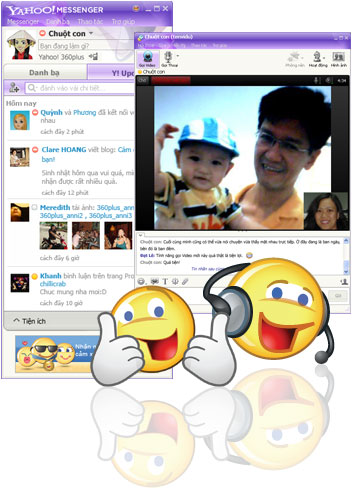
Yahoo! Messenger 11.0.0.1751 Beta / 10.0.0.1270 Final
Do more than just IM with Yahoo! Messenger 10****Enhanced video calling
Feel like you're there with high-quality, full screen video and voice
callingKeep up with what your friends are doing
See your friends' latest updates from Yahoo!, Flickr, Twitter and more
with the new “Updates” viewImproved language support
Change your preferred language in Yahoo! Messenger with just a few
clicksSystem requirements: Microsoft Windows XP, Vista, 7.More FeaturesInstant message with one friend, or conference in a bunch
All-new Insider with Yahoo! Mail, news, weather, search and
moreEasily find or invite friends from other services to come chat
with youSend text messages (SMS) to friends' mobile phones for free*
Make free PC-to-PC calls and PC-to-phone calls for as low as
1¢ a minute (plus free voicemail!)Use the built-in media player to watch web videos and view
photos with friendsShow your style with emoticons, Avatars, audibles and IMVironments
** Homepage - Trang chủ**** Download Yahoo! Messenger 11 Beta** | 16.75 MB** Download | 10.0.0.1270 Final **
** Download | 10.0.0.1270 Final **
** Download | All Languages ** -
Mozilla Firefox 3.6.15 Final và 4.0 RC 1 (10/03/2011)
Mozilla Firefox
Mozilla Firefox - - nhanh hơn, an toàn hơn, dễ dàng hơn để sử dụng và khoác 1 cái nhìn mới, ** bản phát hành mới nhất này của Firefox ** lập nên một tiêu chuẩn mới cho sự cải tiến trình duyệt web. ** Dự án Mozilla Firefox (trước đây là Firebird, trước nữa là Phoenix) ** là bản thiết kế lại của **trình duyệt Mozilla **, được viết bằng XUL user interface language và được thiết kế để trở thành cross-platform. Nhỏ, nhanh và dễ sử dụng, và cung cấp nhiều lợi ích hơn các trình duyệt web khác, chẳng hạn như duyệt tab và khả năng chặn các cửa sổ pop-up. Firefox có những cách hay nhất để tùy biến cách mà bạn sử dụng web. Hiện có hơn 6,000 Add-on ( những tiện ích nhỏ thêm vào để mở rộng khả năng đáp ứng nhu cầu của bạn) đang chờ để giúp bạn làm được nhiều việc hơn, vui vẻ hơn và sáng tạo hơn khi đang online. Firefox bảo vệ những thông tin và lợi ích cá nhân của bạn khỏi kẻ xấu. Đơn giản chỉ cần thiết đặt thì bảo mật của bạn là ưu tiên hàng đầu của chúng tôi.
Firefox 3.6 (tên mã Namoroka) dựa trên Gecko 1.9.2. Xin vui lòng thu thập thông tin về những thay đổi có ảnh hưởng đến nhóm phát triển, và những Gnome vui vẻ, có ích sẽ chắc chắn rằng có những bài được viết để giải thích công việc mã hóa khó khăn của bạn.
Namoroka sẽ sử dụng những quá trình phát triển lặp đi lặp lại dựa trên những cột mốc quan trọng phụ thuộc vào những nhóm phát triển, nhóm thử nghiệm và người sử dụng để đảm bảo rằng chúng tôi đang đầu tư thời gian và nguồn lực hợp lí. Bước thăm dò ban đầu được dùng để điều tra chi phí phát triển và lợi nhuận, cũng như tạo ra các mẫu tương tác người dùng sau này. Giai đoạn phát triển alpha tiếp sau sẽ cho người dùng kiểm tra và phản hồi, bước beta sau đó sẽ kiểm tra khả năng tương thích rộng hơn.

**Firefox 3.6 (tên mã Namoroka)**Hiệu suất
Những cải tiến đáng chú ý trong hiệu suất theo cảm nhận của người dùng như khởi động, thời gian mở tab mới, và khả năng đáp ứng khi tương tác với user interface. Các tác vụ phổ biến nhanh hơn và dễ điều khiển hơn.** Cá nhân hóa và Tùy biến**
Đơn giản hóa sự phát triển, khám phá, cài đặt và quản lý tuỳ biến trình duyệt và mở rộng chức năng. Khi có thể, bạn hãy cung cấp kinh nghiệm sử dụng phù hợp dựa trên quá trình sử dụng trình duyệt. Hành động vì lợi ích của người dùng, tận dụng kiến thức hiện có về thói quen của người dùng.Task Based Navigation
Cho phép người dùng tổ chức các tab, history, file tải về, và các tài nguyên khác theo nhiệm vụ mà họ đã cố gắng hoàn thành. Cung cấp hỗ trợ để thực hiện các tác vụ dựa trên web, kiểu mash-up, mà không cần truy cập vào 1 website.** Hỗ trợ ứng dụng Web**
Làm mờ đi sự khác biệt giữa ứng dụng trên web và desktop, cung cấp các nhà phát triển web công cụ cần thiết để tạo ra kinh nghiệm ứng dụng phong phú cho người dùng kết nối hoặc ko kết nối với internet. Hoạt động như phương tiện trung gian giữa các ứng dụng web và hệ điều hành của desktop.** Tích hợp hệ thống**
Tích hợp cách nhìn và cảm giác như hệ điều hành chủ, bao gồm cả dữ liệu cấp độ tương tác với hệ thống dịch vụ hiện có như từ điển.Firefox 3.6được xây dựng trên nền tảng Gecko 1.9.2 của Mozilla, nền tảng đã được phát triển từ đầu năm 2009 và có nhiều cải tiến cho người phát triển web, người phát triển add-on và người dùng. Phiên bản này vừa nhanh hơn vừa dễ dùng hơn các phiên bản trước và đã được tối ưu hóa để chạy trên các hệ điều hành cho các thiết bị nhỏ như Maemo
Các tính năng đáng chú ý ở FF 3.6: -Hỗ trợ hơn 70 ngôn ngữ - nhận được phiên bản địa phương của bạn.
-cung cấp 1 kiểu theme mới tên là Personas, cho phép người dùng thay đổi giao diện của FF chỉ bằng 1 cú click chuột
-bảo vệ người dùng khỏi những plugin cũ và giúp họ an toàn hơn khi duyệt web .
-xem video full-screen
-Cải thiện hiệu suất javascript, khả năng đáp ứng của trình duyệt nói chung, và thời gian khởi động
-tiếp tục hỗ trợ các font chữ trên web bằng cách dùng định dạng font WOFF mới
-hỗ trợ các thuộc tính CSS mới như gradients, chỉnh kích thước của nền, và pointer events.
-Hỗ trợ cho DOM mới và chi tiết kỹ thuật thuộc HTML5 bao gồm Drag & Drop API và API File, cho phép cho các trang web tương tác nhiều hơn.
-thay đổi để phần mềm của hãng thứ 3 có thể tích hợp vào FF mà ko dẫn đến treo máy
(Dịch bởi lamqsb - Softvnn.com)
What's new in Firefox 3.6.14 :
- Fixed several security issues.
- Fixed several stability issues.
What's new in Firefox 4 beta 10 :
- Fixed a stability issue affecting Windows users.
- Fixed an issue causing rendering errors with plugins affecting Mac OS X users.
- (http://softvnn.com/forum/redirector.php?url=http%3A%2F%2Fit-viet-nam.itprovn.net%2Fredirect.php%3Furl%3Dhttps%3A%2F%2Fbugzilla.mozilla.org%2Fbuglist.cgi%3Fquicksearch%3D589296%252C592563%252C592457%252C592369%252C591481)
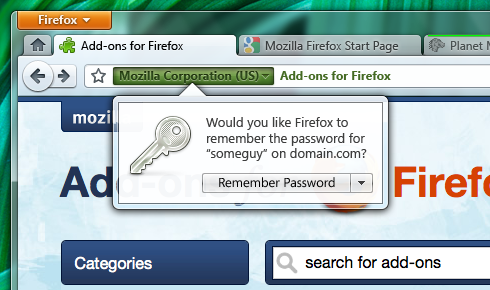 ** Homepage - trang chủ**** Download FireFox 3.6.15 Final - EN**
** Download FireFox 3.6.15 - All languages** -
K-Lite Codec Pack Basic Full Mega 7.0.0 (01/03/2011)cài nó vào thì window media xem đc tất cả các định dạng phim
**K-Lite Codec Pack Basic/ Standard/ Full/ Mega 7.0.0
**
 K-Lite Codec Pack là tập hợp các bộ mã hóa/giải mã và các công cụ liên quan. Các bộ mã hóa/giải mã cần thiết cho việc mã hóa và/hay giải mã (chơi) các định dạng phim.
K-Lite Codec Pack được thiết kế để trở thành một giải pháp thân thiện cho việc xem mọi định dạng phim.
Với K-Lite Codec Pack bạn sẽ có thể chơi 99% các định dạng phim tải về từ internet.K-Lite Codec Pack bao gồm 05 phiên bản:
- K-Lite Codec Pack Basic chỉ bao gồm các công cụ cần thiết nhất. Bộ công cụ chứa mọi thứ bạn cần để xem mọi định dạng thông dụng. Bộ công cụ dung lượng nhỏ vừa đủ để vừa trên một đĩa mềm. Cũng như rất phù hợp để tích hợp vào đĩa phim CD.
- K-Lite Codec Pack Standard bao gồm mọi thứ bạn cần để xem mọi định dạng thông dụng nhất. Gói công cụ đủ dùng cho người dùng thông thường
- K-Lite Codec Pack Corporate phù hợp cho từng môi trường riêng biệt
- K-Lite Codec Pack Full bao gồm nhiều bộ mã hóa/giải mã hơn nữa. Bộ này cũng hỗ trợ mã hóa nhiều định dạng đa dạng. Phù hợp cho người dùng kinh nghiệm hay những người muốn thực hiện những tác vụ mã hóa riêng.
- K-Lite Mega Codec Pack bao gồm đầy đủ nhất mọi công cụ để bạn có thể xem được tất cả mọi định dạng.
K-Lite Codec Pack hiện có thể cài đặt trên các HĐH sau: 2003/2008/XP/Vista/Windows 7
(dịch bởi psp_lonefox - Softvnn.com)
Changelog:
- Updated Media Player Classic Home Cinema to version 1.5.0.2827.
- Updated ffdshow to revision 3764.
- Removed CoreVorbis.
- Updated Lagarith to version 1.3.22.
- Updated Codec Tweak Tool to version 4.8.4.
- Minor changes.
** Homepage - Trang chủ**** Download K-Lite Mega Codec Pack 7.0.0**
** Download K-Lite Codec Pack 7.0.0 Full**
** Download K-Lite Codec Pack 7.0.0 Basic [5.19MB].**
** Download K-Lite Codec Pack 7.0.0 Standard **
** K-Lite Codec Pack 64-bit ** -
Your Uninstaller! 7.3.2010.33 (10/12/2010)
**Your Uninstaller! 7 **
Gỡ bỏ các phần mềm không mong muốn một cách hoàn hảo !
**Your Uninstaller! là một chương trình tháo gỡ cài đặt hàng đầu trong ngành. Nó là một chương trình tháo gỡ cài đặt Drag & Uninstall™ trên nền Windows thông minh nhất thế giới, đây là "Windows XP Optimized" (Windows XP được tối ưu hóa) và cũng hoạt động trên các phiên bản Windows khác gồm Windows XP/2000/ME/98/95/2003. Sử dụng nó cũng dễ như sử dụng thùng rác (recycle bin). Hãy tưởng tượng! Chỉ cần kéo-thả và chương trình mà bạn không muốn sử dụng nữa sẽ biến mất trong máy bạn—cũng như tất cả những gì không muốn mà chương trình đó đã mang lại! Your Uninstaller! là một cách tháo gỡ những ứng dụng không cần đến trên máy tính của bạn rất thân thiện với người sử dụng. Nó còn có thể tháo gỡ những phần mềm gián điệp gây rắc rối! **
Your Uninstaller! *được thiết kế đặc biệt cho cả người mới sử dụng cũng như những người sử dụng chuyên sâu. Your Uninstaller! 2006 cực kỳ nhanh và rất dễ dùng. Nó có một khả năng độc đáo để gỡ bỏ những phần mềm đơn giản bằng cách kéo biểu tượng ủa chương trình đó vào biểu tượng của Your Uninstaller! Bạn cũng còn có thể tìm ứng dụng mà bạn muốn gỡ bỏ qua chức năng tìm kiếm độc đáo. *Your Uninstaller! gỡ bỏ hoàn toàn nhữnh ứng dụng một cách nhanh chóng. Your Uninstaller! khởi động nhanh hơn 500%-1000% lần so với các chương trình Add/Remove khác. Như bạn biết, có rất nhiều bộ cài đặt trên thế giới, chẳng hạn như InstallShield, Wise Installer, Microsoft Installer và nhiều phần mềm khác. Hầu hết các ứng dụng được xây dựng sử dụng các trình cài đặt này. Mỗi trình cài đặt có một cơ sở dữ liệu cài đặt riêng, điều đó gây khó khăn cho việc tìm kiếm các thay đổi mà chương trình tạo ra cho máy tính của bạn. Đó là lý do tại sao các trình gỡ bỏ cài đặt khác chỉ có thể tháo gỡ một phần các file còn lại của ứng dụng và những từ khóa registry.
*Để giải quyết vấn đề này, phần mềm sử dụng kỹ thuật độc đáo của nó: SmartUninstall™. SmartUninstall™ có một cơ sở dữ liệu bao gồm các thông tin về tất cả các trình cài đặt trên thị trường; nhờ vậy khi tháo gỡ một chương trình, nó tự động dò tìm trình cài đặt nào mà ứng dụng đó đã dùng, sau đó nó tháo gỡ ứng dụng đó một cách thích hợp và đơn giản. Đó là lý do tại sao Your Uninstaller! có thể dò tìm và tháo gỡ hoàn toàn tất cả các chương trình và biểu tượng trên máy tính của bạn. *
Đặc tính chính:- Tháo gỡ hoàn toàn bất kỳ ứng dụng nào đã được cài đặt.
- Quét sâu vào registry và toàn bộ đĩa để tìm các file và các phần nhập vào registry.
- Tháo gỡ các chương trình mà Add/Remove Program không thể gỡ bỏ.
- Tháo gỡ các screen savers.
- Thể hiện tất cả các ưng dụng đã cài đặt trên máy tính của bạn với cửa sổ tùy chỉnh. Chương trình Disk Cleaner tích hợp giúp bạn tìm và gỡ bỏ những file không cần thiết trên đĩa cứng của bạn để tiết kiệm đĩa và làm cho máy tính bạn nhanh hơn!
- IE Context Menu Cleaner tích hợp, dọn dẹp menu ngữ cảnh của Internet Explorer.
- Tích hợp Startup Manager, kiểm soát các phần khởi động của Windows.
- Tích hợp Start Menu Manager giúp bạn giữ sạch Start Menu.
- Thu thập các thông tin chi tiết về các ứng dụng ngay cả trong trường hợp nó tự ẩn sâu trong các thư mục, đặc biệt hữu dụng cho việc tìm kiếm các ứng dụng “Gián điệp”.
- Sao lưu/Phục hồi thông tin các hứng dụng cài đặt.
- Tháo gỡ cài đặt với chức năng kéo-thả! Chỉ cần thả một file lên biểu tượng Your Uninstaller! trên desktop và bạn sẽ thấy những gì xãy ra!
- Liệt kê các ưng dụng đã được cài đặt với các biểu tượng thích hợp (giống như bạn thấy trong Start Menu), bạn có thể tìm ứng dụng mà bạn muốn tháo gỡ dễ dàng.
- Tính năng tìm kiếm mạnh mẽ cho phép bạn tìm chương trình bạn muốn tháo gỡ nhanh chóng.
- Tự động dò tìm các sự cài đặt không hợp lệ và tháo gỡ chúng chỉ với một cú click.
- Gỡ bỏ bắt buột các giá trị nạp vào trong registry liên quan đến việc tháo gỡ cài đặt (cẩn thận khi dùng)!
- Khởi động cực nhanh, từ 5-10 lần nhanh hơn Add/Remove Program của Windows XP!
- Xem tất cả các chi tiết của một ứng dụng nào đó được cài đặt trên máy tính của bạn.
- Xuất danh sách các chương trình thành file hoặc in ra.
- V.v…
Hệ điều hành :
- Windows Vista™, XP, Me, 98, 2000 và Wins 7
( Dịch bởi blackandwhite - Softvnn.Com )
Changes in verrsion 7.3.2010.33 :
- Added: Option for friendly date format.
- Fixed: Incorrect display on Startup Manager module.
- Fixed: UI flickers on several dialogs.
- Improved: Ignores some locked registry keys, reducing scan time.
 ** Homepage - Trang chủ**** Những thay đổi trong phiên bản mới !**** Download - Tải về Your Uninstaller! 7.3.2010.33 !** | 4.97 MB
** Download - Tải về Your Uninstaller! 7.3.2010.33 ! Full ** | 12.06 MB ** Patch - Thuốc NEW ! [D-link]** | 3.7 MB
** Patch - Thuốc NEW ! **- Ngắt mạng , cài đặt bình thường .
- Copy file urmain.exe trong thư mục Patch vào thư mục cài đặt ( nhớ Replace ! ) .
- Sau đó mở chương trình lên , nhập 1 trong các key sau :
Name: Administrator
Serials:
01EXP2-HYGE3V-3PHN8R-2GFHQ5-54GPJ0-4NH2TQ-7TFXZ1-UX5QHD-JNXG9R-2PDYX7
019VW2-HYGE3V-3PHNA6-B7TDUD-5M3ZHN-1JJ3GF-10W2E6-MDTT87-K4DDQ2-A0TH6K
019E3E-HYGE3V-3PHPH8-4WNW2Y-QURBWP-KMQ06U-B5QM1T-7QP1PM-KH5BVQ-ZNPU1V
01B0FE-HYGE3V-3PHK5P-1BN7VT-YTYYWV-9NAX7T-V4TRQC-M7W5R1-RH56W3-BRM8BG
01F78J-HYGE3V-3PHH7F-NUR6W4-JWUWMG-ZQHJB9-F774Z9-RUEP1F-VX81CJ-90E738- Tiếp đến tắt mục Auto Update của chương trình ở Tools -> Options -> Update
- Vậy là xong ! Mở mạng lên và sử dụng
-
Norton Ghost™ 2010 v15.0.1.36526 (22/08/2010)
Norton Ghost™ 15.0.1
Professional Grade Backup and RecoveryHow It Works
Key Technologies- NEW! Cold imaging
- NEW! Blu-ray Disc support
- NEW! Windows® 7 Bitlocker™ support
- NEW! Symantec ThreatCon integration
- Advanced compression and encryption
- File and folder backups
Key Benefits
- Creates full system and file backups — Safeguards your system, settings, applications, and files with flexible, comprehensive backup protection.
- Restores from system failures — Recovers your system and data even when you can’t restart your computer.
- Enables convenient, secure offsite backups — Saves recovery points to an FTP site for easier offsite management and even backs up your data to network-attached storage devices
Features
- NEW! Cold Imaging lets you back up files without installing Ghost.
- NEW! Blu-ray Disc allows you to back up large amounts of data to high-capacity Blu-ray Disc — up to 25 GB per disc (50 GB dual-layer).
- NEW! Windows® 7 support including support for Bitlocker™ provides enhanced data protection through drive encryption and integrity checking.
Awards
- February 2006 PC Magazine: Dimension E310: Editors' Choice Award
Media Reviews
- October 2007 Bearly Bytes Product Review: Norton Ghost 12.0
- August 2007 GCN Lab Review: Ghost with the Most
- April 2007 LapTop Magazine: Norton Ghost provides tools for backup and recovery
Customer Reviews
- *October 11, 2009 -"Saved my life so many times over the years. What a great program. Have tried others and always come back to Norton Ghost. It is without question the best for saving your butt when all else fails such as a main C Drive goes south. Frankly I insist that you get Norton Ghost - so little to pay to get so much! Especially when you can pick and choose what needs to be restored."
-Walt
Overall Norton Rating: ******
System Requirements
Windows® 7 Starter/Home Basic/Home Premium/Professional/Enterprise/Ultimate- Must meet minimum Windows 7 operating system requirements
Windows Vista® Home Basic/Home Premium/Business/Ultimate
- Must meet minimum Windows Vista operating system requirements
Windows® XP Home/Professional
- 300 MHz or faster processor
- 512 MB (1GB recommended) of RAM
- 430 MB of available hard disk space
- CD-ROM or DVD-ROM drive for software distribution on media
- Super VGA (800 x 600) or higher resolution video adapter and monitor
Supported File Systems and Devices
- FAT16, FAT16X, FAT32, FAT32X
- NTFS, GUID Partition Table (GPT)
- Dynamic Disks
Supported Hard Drives and Removable Media
- CDR/RW, DVD+-R/RW, Blu-Ray devices
- USB and FireWire® (IEEE 1394) devices
- Iomega® Zip® and Jaz® drives
**
Changelog in version 15.0.1 :
**- Fixed -- error E4BC0005: Unable to restore file id: . Cannot restore the backed up file(fbf) when AES encryption is enabled and over 1GB zip file on network share or on CD/DVD
- Fixed -- "System.Runtime.InteropServices.COMException" error message after selecting "Unable to determine status" on Home tab.
- Fixed -- After using Copy Drive with Windows 7 both HDs are rendered non bootable.
- Fixed -- "You do not have sufficient privileges to perform this operation" message and Norton Ghost service stops and will not restart following reboot after install
- Fixed -- Windows Security alert that windows can't verify the publisher of this driver software during install of SP1
- Fixed -- BROWSE not functioning for "locate virus definitions folder" in Lights Out Restore
- Fixed -- Product Activation and Help|About does not display correct number days remaining for activation
** Homepage - Trang chủ**** Download Norton Ghost SP1 15.0.1 build 36526**** | 120.33 MB**
** Download Norton Ghost 15.0.0 build 35659** | 119.68 MB** Thuốc - CORE Keymaker [Direct-Link]**
** Thuốc - CORE Keymaker [Mirror-Link]**
**
Serial only :**
Code:
04-4408-4167-069767
07-4405-8948-447245
05-4401-6537-463076 -
Hiren's BootCD 13.0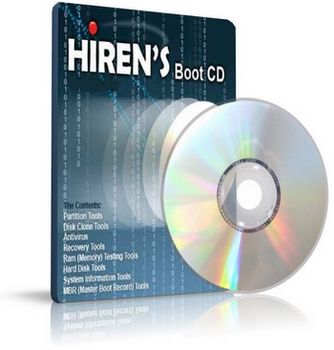
Hiren's BootCD 13.0
Hiren's BootCD is a wonderful live CD containing various programs such as Hard drive recovery, Hard Drive Partition, Hard Drive Backup, Hard Drive Testing, RAM (Memory) Testing, System Information, MBR (Master BootRecord), BIOS, MultiMedia, Password, NTFS (FileSystems), Antivirus, AntiSpy, Process, Windows Startup, Registry tools, Windows Cleaners, Optimizers, Tweakers, and many others... As it is a bootable CD, it can be useful even if the primary operating system cannot be booted. We may call it as an emergency cd which every computer technician or home user must have.
All in one Dos Bootable CD which has all these utilities:
Antivirus Tools
- *ComboFix (07-08-2010) Designed to cleanup malware infections and restore settings modified by malware.
*CWShredder 2.19 Popular CoolWebSearch Trojan Remover tool.
*Dr.Web CureIt! Antivirus (07-08-2010) a free standalone anti-virus and anti-spyware on-demand scanner.
*GMER 1.0.15 Hidden services, hidden registry, hidden file scanner, Rootkit Detector and Remover.
*Malwarebytes' Anti-Malware 1.46 (07-08-2010) anti-malware application that can thoroughly remove even the most advanced malware.
*Remove Fake Antivirus 1.66 a tool to remove virus/malwares which disguises itself to be an antivirus and produces fake alert/warnings and urge you to purchase a useless copy of the fake antivirus.
*RootkitRevealer 1.7.1 Rootkit Revealer is an advanced patent-pending root kit detection utility.
*SmitFraudFix 2.424 This removes Some of the popular Desktop Hijack malware.
*Spybot - Search & Destroy 1.6.2 (07-08-2010) Application to scan for spyware, adware, hijackers and other malicious software.
*SpywareBlaster 4.3 (07-08-2010) Prevent the installation of spyware and other potentially unwanted software.
*SuperAntispyware 4.41.1000 (07-08-2010) Remove Malware, Rootkits, Spyware, Adware, Worms, Parasites (a must have tool
Archivers
- ***7-Zip 9.15b **File archiver with a high compression ratio Supports 7z, ARJ, BZIP2, CAB, CHM, CPIO, DEB, DMG, FAT, GZ, GZIP, HFS, IMA, IMG, ISO, LZH, LZMA, MBR, MSI, NSIS, NTFS, RAR, RPM, TAR, UDF, VHD, WIM, XAR, XZ, ZIP and Z formats.
*EasyUHA 1.0 GUI Tool to create and extract UHA Archives.
Backup Tools
- *COPYR.DMA Build013 A Tool for making copies of hard disks with bad sectors.
*Double Driver 3.0 Driver Backup and Restore tool.
*DriveImage XML 2.14 backup any drive/partition to an image file, even if the drive is currently in use, a very good freeware alternative to Ghost / Acronis
*DriverBackup! 1.0.3 Another handy tool to backup drivers.
*Drive SnapShot 1.40 creates an exact Disk Image of your system into a file while windows is running.
*FastCopy 2.01 The Fastest Copy/Delete Software on Windows.
*G4L Ghost 4 Linux 0.34a a hard disk and partition imaging and cloning tool similar to Norton Ghost.
*GImageX 2.0.17 ImageX is used to backup/restore WIM images for Windows XP/Vista and Windows 7.
*InfraRecorder 0.50 An Open source CD/DVD burning software, also create/burn .iso images.
Partition Image - PartImage 0.6.9 supported filesystem includes Ext2, Ext3, Reiserfs, HFS, HPFS, JFS, Xfs, UFS, Fat16, Fat32 and NTFS.
*Partition Saving 3.80 A tool to backup/restore partitions (SavePart.exe).
*RegBak 1.0 a light-weight and simple utility to create backups of Windows registry files.
*Raw Copy 1.2 Useful tool to transfer the data directly from a faulty drive to another drive, built in data recovery function which will also attempt to recover data from bad sectors.
*ShadowCopy 1.00 Copy all your files and entire system - even if they are locked by Windows.
*SelfImage 1.2.1.92 to create image files of any mounted or unmounted hard disk partition.
*Smart Driver Backup 2.12 Easy backup of your Windows device drivers (also works from PE).
*WhitSoft File Splitter 4.5a a Small File Split / Join Tool.
*XXClone 0.58.0 The simple way to clone a Windows disk to another disk, it makes a self-bootable clone of Windows system disk.
BIOS / CMOS Tools
- *Award DMI Configuration Utility 2.43 DMI Configuration utility for modifying/viewing the MIDF contents.
*!BIOS 3.20 a powerfull utility for bios and cmos.
***BIOS ***er 5.0 BIOS password remover (cmospwd).
*BIOS Utility 1.35.0 BIOS Informations, password, beep codes and more.
*CMOS 0.93 CMOS Save / Restore Tool.
*DISKMAN4 a powerful all in one utility.
*Kill CMOS a tiny utility to wipe cmos.
*UniFlash 1.40 bios flash utility.
Browsers / File Managers
- *7-Zip File Manager 7-Zip is a popular open source file archiver designed for Microsoft Windows.
*Dos Command Center 5.1 Classic dos-based file manager.
*Dos Navigator 6.4.0 Dos File Manager, Norton Commander clone but has much more features.
*Explore2fs 1.08b GUI explorer tool for accessing linux ext2 and ext3 filesystems under windows.
*File Maven 3.5 an advanced Dos file manager with high speed PC-to-PC file transfers via serial or parallel cable.
*File Wizard 1.35 a file manager - colored files, drag and drop copy, move, delete etc.
*FastLynx 2.0 Dos file manager with Pc to Pc file transfer capability.
*Mini Windows 98 Can run from Ram Drive, with ntfs support, 7-Zip, Disk Defragmenter, Notepad / RichText Editor, Image Viewer, .avi .mpg .divx .xvid Movie Player, etc...
*Mini Windows Xp Portable Windows Xp that runs from CD/USB/Ram Drive, with Network and SATA support.
*Opera Web Browser 9.27 One of the fastest, smallest and smartest full-featured web browser.
*Total Commander 7.55a A file manager similar to the Windows Explorer features side-by-side file-browsing panes, built-in FTP, archive management, file search/compare/synchronize and more.
*Volkov Commander 4.99 Dos File Manager with LongFileName/ntfs support (Similar to Norton Commander).
Cleaners
- *CCleaner 2.34.1200 Crap Cleaner is a freeware system optimization and privacy tool.
*CleanUp! 4.5.2 Removes junk files from all user profiles that accumulate over time and litter your hard drive.
*Data Shredder 1.0 A tool to Erase disk and files (also wipe free space) securely.
*Delete Doctor 2.2 Delete Files that are hard to delete, Option to delete on reboot or via UNC Name.
*MyUninstaller 1.66 Alternative to the standard add / remove control panel module.
*SpaceMonger 1.4 keeping track of the free space on your computer.
*WinDirStat 1.1.2.80 a disk usage statistics viewer and cleanup tool for Windows.
Editors / Viewers
- *HxD 1.7.7.0 Hex Editor provides tools to inspect and edit files, main memory, disks/disk images.
*IrfanView 4.27 A free Image Viewer/Editor/Converter and Optimizer.
*Picture Viewer 1.94 Picture viewer for dos, supports more then 40 filetypes.
*QuickView Pro 2.58 movie viewer for dos, supports many format including divx.
*SumatraPDF 1.1 a free, open source, lightweight PDF Reader for Microsoft Windows.
FileSystems Tools
- *AlternateStreamView 1.15 View/Copy/Delete hidden NTFS Alternate Data Streams.
*EditBINI 1.01 to Edit boot.ini on NTFS Partition.
*FileDisk Mount Tool 25 to mount ISO/BIN/NRG/MDF/IMA/IMG images on windows.
*NewSID 4.10 utility that changes the security ID (SID) for Windows NT, 2000 and XP.
*NTFS Access 2.1 Set NTFS permissions recursively and full access rights to a folder/file owner.
*NTFS Dos 3.02 to read-only access ntfs partitions from Dos.
*NTFS4Dos 1.9 to read and write ntfs partitions from Dos.
*Virtual Floppy Drive 2.1 enables you to create and mount a virtual floppy drive on your NT/2000/XP/Vista.
Hard Disk Tools
- *Active Kill Disk 4.1.2393 Securely overwrites and destroys all data on physical drive.
*Darik's Boot and Nuke (DBAN) 1.0.7 Completely deletes the contents of any hard disk it can detect.
*DiskView 2.4 to view graphical map of your disk, allowing you to check where a file is located or, by clicking on a cluster, seeing which file occupies it.
*ExcelStor's ESTest 4.50 ExcelStor hard disk diagnostic utility.
*Fujitsu HDD Diagnostic Tool 7.00 to check IDE drives for possible defects/problems.
*Fujitsu IDE Low Level Format 1.0 Low Level Format Tool for Fujitsu Drives.
*Gateway GwScan 5.12 Gateway hard drive diagnostic utility.
*Hard Disk Sentinel 1.00.5 Hard Disk health, performance and temperature monitoring tool.
*HDAT2 4.53the main function is testing and repair (regenerates) bad sectors for detected devices. A freeware alternative of HDD Regenerator.
*HDD Erase 4.0 Secure erase using a special feature built into most newer hard drives.
*IBM Hitachi Drive Fitness Test 4.16 quickly and reliably tests SCSI, IDE and SATA drives.
*IBM Hitachi Feature Tool 2.15 allows you to control some of the features of the the HDD.
*Maxtor amset utility 4.0 Utility for changing Acoustic Management on the hard drives.
*Maxtor Low Level Formatter 1.1 Maxtor's Low Level Format Utility works on any harddrive.
*Maxtor PowerMax 4.23 designed to perform diagnostic read/write verifications on Maxtor/Quantum hard drives.
*MHDD 4.6 Precise diagnostic of the mechanical part of a drive, perform Low-level format, Bad Sector Sepair, access raw sectors, manage S.M.A.R.T. (SMART) and other drive parameters such as acoustic management, security, Host Protected Area, etc.
*Samsung Disk Diagnose (SHDIAG) 1.28 to diagnose the disk when suspected to have failures.
*Samsung ESTOOL 3.00g Drive Diagnostic, Automatic Acoustic Management, Enable/Disable SMART etc.
*Samsung HDD Utility(HUTIL) 2.10 The Drive Diagnostic Utility.
*SeaTools for Dos GUI 2.21 Text 1.10 versions to test Seagate or Maxtor Parallel ATA (PATA and IDE) and Serial ATA (SATA) interface disc drives.
*SmartUDM 2.00 Hard Disk Drive S.M.A.R.T. Viewer.
*Toshiba Hard Disk Diagnostic 2.00b Toshiba hard drive diagnostic utility.
*Victoria 3.33e and 3.52rus a freeware program for low-level HDD diagnostics.
*Victoria 4.46 Universal program for testing storage devices
*ViVard 1.0 HDD low-level diagnostics, Surface test with remap, SMART-attributes etc.
*WDClear 1.30 Restore/Erases the drive back to a factory condition.
*Western Digital Data Lifeguard Tools 11.2 for the installation of Western Digital EIDE Hard Drives.
*Western Digital Diagnostics (DLGDIAG) 5.04f to quickly and efficiently verify the status of the drive.
*Western Digital Data Lifeguard Tools 1.21 to perform drive identification, diagnostics, and repairs on most WD drives
MBR (Master Boot Record) Tools
- *BellaVista 1.1.0.47 Formerly BCD Editor with lots of options to configure Windows for a developer.
*BootSect 6.0.6 Boot Sector Manipulation Tool, This tool replaces FixFAT.exe and FixNTFS.exe.
*BootICE 0.78 a boot sector manipulation utility.
*DiskMan 4.2 all in one tool for cmos, bios, bootrecord and more.
*Grub4Dos installer 1.1 an universal boot loader GRUB for DOS installer.
*grub4dos 2010-08-04 an universal boot loader based on GNU GRUB, can boot off DOS/LINUX or via Windows boot *manager/syslinux/lilo or from MBR/CD, builtin BIOS disk emulation.
*HDHacker 1.4 Load/Save/View MBR and BootSector from a physical/logical drive.
*isolinux 4.02 a boot loader for Linux/i386 that operates off ISO 9660/El Torito CD-ROMs in 'no emulation' mode.
*MBRWizard 3.0.65 Directly update and modify the Master Boot Record.
*MbrFix 1.3 to backup, restore, fix the boot code in the MBR.
*MBR Utility 1.05 to manipulate a drive's master boot record (MBR) via the command line.
*MemDisk 4.02 to allow booting legacy operating systems, floppy images, hard disk images and some ISO images.
*PLoP Boot Manager 5.0.10 a small program to boot different operating systems harddisk, floppy, CD/DVD or from USB, it can boot from an USB/CD/DVD even without BIOS support.
*BootFix Utility Run this utility if you get 'Invalid system disk' message.
*Boot Partition 2.60 add Partition in the Windows NT/2000/XP Multi-boot loader.
*MBRWork 1.08 a utility to perform some common and uncommon MBR functions.
*MBRTool 2.3.200 backup, verify, restore, edit, refresh, remove, display, re-write and more.
*MBR SAVE / RESTORE 2.1 BootSave and BootRest tools to save / restore MBR.
*Smart Boot Manager 3.7.1 a multi boot manager.
Ms Dos Tools
- *1394 Firewire Support 1394 Firewire Drivers for Dos.
*ASUSTeK USB Driver 3 ASUS USB CD-ROM Device Driver Version 1.00.
*Dos tools Collection of dos utilities extract.exe pkzip.exe pkunzip.exe lha.exe gzip.exe uharcd.exe imgExtrc.exe xcopy.exe diskcopy.com mouse.com undelete.com edit.com fdisk.exe fdisk2.exe fdisk3.exe lf.exe delpart.exe wipe.com zap.com format.com deltree.exe more.com find.exe hex.exe debug.exe split.exe mem.exe attrib.com sys.com smartdrv.exe xmsdsk.exe killer.exe share.exe scandisk.exe guest.exe doskey.exe duse.exe move.exe setver.exe intersvr.exe interlnk.exe loadlin.exe lfndos.exe doslfn.com and more.
*Interlnk support at COM1/LPT1 to access another computer from COM/LPT port.
*SCSI Support SCSI Drivers for Dos.
*SATA Support SATA Driver (gcdrom.sys) and JMicron JMB361 (xcdrom.sys) for Dos.
*Universal USB Driver 2 Panasonic v2.20 ASPI Manager for USB mass storage.
*USB CD-Rom Driver 1 Standard usb_cd.sys driver for cd drive.
Network Tools
- *Angry IP Scanner 2.21 Scan IP addresses in any range as well as any their ports.
*CurrPorts 1.82 displays the list of all currently opened TCP and UDP ports on your computer.
*Network Password Recovery 1.24 Recover Windows XP/Vista network passwords / Credentials file.
*PuTTY 0.60 a free and open source terminal emulator application which can act as a client for the SSH and Telnet.
*SmartSniff 1.63 Network monitoring utility that allows you to capture TCP/IP packets that pass through your network adapter.
*TCPView 3.02 Lists TCP and UDP endpoints, including the Local/Remote addresses of TCP connections.
*XP TCP/IP Repair 1.0 Repair your Windows XP Winsock and TCP/IP registry errors.
Optimizers
- *Defraggler 1.21.209 to defrag your entire hard drive or individual files.
*JkDefrag 3.36 Free disk defragment and optimize utility for Windows 2000/2003/XP/Vista/Windows 7.
*NT Registry Optimizer 1.1j Registry Optimization for Windows NT/2000/2003/XP/Vista.
*PageDfrg 2.32 System file Defragmenter For NT/2k/XP.
Other Tools
- *Bulk Rename Utility 2.7.1.2 Rename multiple files, change timestamps and rename using EXIF data with the click of a button.
*Fix NTLDR is missing Fix 'NTLDR is missing, Press any key to restart' for Windows Xp.
*HBCD Customizer 1.3 HBCDCustomizer.exe is a GUI tool to create custom iso images of Hiren's BootCD.
*Mini Linux Recovery is Possible Linux (RIPLinux 10.7) kernel 2.6.34 contains afftools, aria2, beaver, cdrtools, clamav, curl, ddrescue, dump/restore, emelfm2, encfs, epdfview, extundelete, fsarchiver, grub2, hdparm, isomaster, lftp, lynx, lzip, mtpaint, ntfs-3g, openssh, partclone, partimage, pccmoscleaner, pcdiskeraser, pcmanfm, pcloginnow, pcregedit, pidgin, qemu, reiserfsck, rdup, safecopy, smbclient, sylpheed, syslinux, truecrypt, tar, tmux, wiper, xfburn, xfprot, xterm and more.
*SearchMyFiles 1.50 Alternative to 'Search For Files And Folders' module of Windows + Duplicates Search.
*Universal TCP/IP Network 6.5 MSDOS Network Client to connect via TCP/IP to a Microsoft based network. The network can either be a peer-to-peer or a server based network, it contains 98 different network card drivers.
Partition Tools
- *eXtended Fdisk 0.9.3 XFDISK allows easy partition creation and edition.
*Fat32 Formatter GUI 1.01 Windows XP cannot format a volume bigger than 32GB with FAT32.
*GParted Partition Editor 0.6.2 to create, copy, paste, delete, hide, resize or move partitions without losing data, a good freeware alternative to Partition Magic.
*Partition Table Editor 8.0 Partition Table and Boot Record Editor.
*Partition Wizard Home Edition 5.0 Free Partition Magic Alternative, Partition Resize/Move/Copy/Create/Delete/Format/Convert, Explore, etc.
*Ranish Partition Manager 2.44 a boot manager and hard disk partitioner.
*Smart Fdisk 2.05 a simple harddisk partition manager.
*SPecial Fdisk 2000.03v SPFDISK is a partition tool.
*Super Fdisk 1.0 Create, delete, format partitions drives without destroying data.
*The Partition Resizer 1.3.4 move and resize your partitions in one step.
*USB Format Tool Format/make bootable any USB flash drive to FAT, FAT32, or NTFS partition.
Password Tools
- *Asterisk Logger 1.04 Reveal passwords hidden behind asterisk characters.
*ATAPWD 1.2 Hard Disk Password Utility.
*Autologon 3.0 Enables you to easily configure Windows' built-in autologon mechanism, so you don't have to wait on the login screen.
*Content Advisor Password Remover 1.01 It Removes Content Advisor Password from Internet Explorer.
*IE PassView 1.20 It allows you to view username and passwords saved by Internet Explorer.
*Kon-Boot 1.1 to bypass Login Password of Windows (32bit, any password) and Linux login as kon-usr.
*LicenseCrawler 0.0.42 find the license keys and serial numbers of your programs.
*Mail PassView 1.65 Recovers mail passwords of Outlook Express, MS Outlook, IncrediMail, Eudora, etc.
*MessenPass 1.30 A password recovery tool that reveals the passwords of several instant messangers.
*NTPWD utility to reset windows nt/2000/xp administrator/user password.
*Offline NT Password Changer 2010-06-27 utility to reset/unlock windows NT/2000/XP/Vista/7 administrator/user password.
*Password Renew 1.1 Utility to set/reset windows passwords.
*PasswordFox 1.20 Allows you to view the user names and passwords stored by Mozilla Firefox Web browser.
*ProduKey 1.42 Recovers lost the product key of your Windows/Office.
*PST (Outlook) Password Recovery 1.12 Small utility that recovers lost password of Outlook .PST (Personal Folders) file.
*SniffPass 1.11 A password monitoring tool that listens to your network, capture the passwords that pass through your network adapter, it works on POP3, IMAP4, SMTP, FTP, and HTTP protocols and recovers lost Web/FTP/Email passwords.
*WindowsGate 1.1 Enables/Disables Windows logon password validation.
*WinKeyFinder 1.73 Allows you to View and Change Windows XP/2003 Product Keys, backup and restore activation related files, backup Microsoft Office 97, 2000 SP2, XP/2003 keys etc.
*WirelessKeyView 1.34 Recovers all wireless network keys (WEP/WPA) stored in your computer by WZC Wireless Zero Configuration.
*XP Key Reader 2.7 Can decode the XP-key on Local or Remote systems.
Process Tools
- *Dependency Walker 2.2 Checks for missing/invalid DLL/modules/functions for any exe/dll/ocx/sys.
*IB Process Manager 1.04 a little process manager for 9x/2k, shows dll info etc.
*OpenedFilesView 1.46 View opened/locked files in your system, sharing violation issues.
*Pocket KillBox 2.0.0.978 can be used to get rid of files that stubbornly refuse to allow you to delete them.
*Process Explorer 12.04 shows you information about which handles and DLLs processes have opened or loaded.
*Process Monitor 2.91 to monitor real-time file system, Registry and process/thread activity, This tool replaces Filemon and Regmon.
*ProcessActivityView 1.11 Detailed process access information read/write/opened files etc.
*Unlocker 1.9.0 This tool can delete file/folder when you get this message - Cannot delete file: Access is denied, The file is in use by another program etc.
RAM (Memory) Testing Tools
- MemTest 1.0 a Memory Testing Tool
- Video Memory Stress Test 1.7.116 a tool to thoroughly test your video RAM for errors and faults
- Windows Memory Diagnostic a RAM Test tool
- Memtest86+ 4.10 PC Memory Test
Recovery Tools
- *DiskDigger 0.8.3.176 Undelete and recover lost photos, videos, music, documents and other formats from your hard drive, *memory cards and USB flash drives.
*Partition Find and Mount 2.31 Partition Find and Mount software is designed to find lost or deleted partitions.
*PartitionRecovery 1.0 A freeware tool to recover accidentally deleted partitions.
*PhotoRec 6.12b Tool to Recover File and pictures from Dos/Windows/Linux.
*Recuva 1.38.504 Restore deleted files from Hard Drive, Digital Camera Memory Card, usb mp3 player etc.
*Restoration 3.2.13 a tool to recover deleted files.
*Smart Partition Recovery 3.3 Find Lost NTFS partitions and restore them back.
*SoftPerfect File Recovery 1.2 to restore accidentally deleted files from hard drive, USB flash drives, CF and SD memory cards.
*TestDisk 6.12b Tool to check and undelete partition from Dos/Windows/Linux.
*Unstoppable Copier 4.4 Allows you to copy files from disks with problems such as bad sectors, scratches or that just give errors when reading data.
Registry Tools
- *ERUNT 1.1j The Emergency Recovery Utility NT Registry Backup and Restore for Windows NT/2000/2003/XP.
*Fix HDC Fix the Hard Drive Controller when replacing your motherboard on an XP system.
*Glary Registry Repair 3.3.0.852 an advanced registry cleaner that allows you to safely scan, clean, and repair registry problems.
*RegFromApp 1.21 Monitors/exports the Registry changes made by the selected application.
*Registry Editor PE 0.9c Easy editing of remote registry hives and user profiles.
*Registry Restore Wizard 1.0.4 Restores a corrupted system registry from Xp System Restore.
*RegScanner 1.82 Tool to find/search in the Registry of Windows.
*RegShot 1.8.2 a registry compare utility that allows you to quickly take a snapshot of your registry and then compare it with a second one - done after doing system changes or installing a new software product.
*Registry Viewer 4.2 Registry Viewer/Editor for Win9x/Me/NT/2K/XP.
Remote Control Tools
- *TeamViewer 5.0.8703 Access any remote computer via Internet just like sitting in front of it, even through firewalls.
*TightVNC 2.0.2 Cross-platform Remote Desktop Software to view/control remote pc with mouse and keyboard.
Security Tools
- *DiskCryptor 0.9 High speed disk encryption tool to encrypt all disk/partitions, including the system partition encryption support.
*TrueCrypt 7.0 On-the-fly Linux/Windows disk encryption tool, can create a virtual encrypted disk within a file and mount it as a real disk, can also encrypt an entire HDD/Partition/USB Drive.
Startup Tools
- *Autoruns 10.02 Displays All the entries from startup folder, Run, RunOnce, and other Registry keys, Explorer shell extensions,toolbars, browser helper objects, Winlogon notifications, auto-start services, Scheduled Tasks, Winsock, LSA Providers, Remove Drivers and much more which helps to remove nasty spyware/adware and viruses.
*HijackThis 2.0.4 a general homepage hijackers detector and remover and more.
*Silent Runners Revision 61 A free script that helps detect spyware, malware and adware in the startup process.
*Startup Control Panel 2.8 a tool to edit startup programs.
*Startup Monitor 1.02 it notifies you when any program registers itself to run at system startup.
System Information Tools
- *Astra 5.46 Advanced System info Tool and Reporting Assistant.
*BlueScreenView 1.27 Scans minidump files for BSOD (blue screen of death) crash information.
*CPU Identification utility 1.18CHKCPU.EXE Detailed information on CPU.
*CPU-Z 1.55 It gathers information on some of the main devices of your system.
*CTIA CPU Information 2.7 another CPU information tool.
*Drive Temperature 1.0 Hard Disk Drive temperature meter.
*GPU-Z 0.4.4 A lightweight utility designed to give you all information about your video card and GPU.
*HDTune 2.55 Hard disk benchmarking and information tool.
*HWiNFO 5.5.0 a powerful system information utility.
*Navratil Software System Information 0.60.38 High-end professional system information tool.
*PCI and AGP info Tool (07-08-2010) The PCI System information and Exploration tool.
*PC Wizard 2010.1.94 Powerful system information/benchmark utility designed especially for detection of hardware.
*PCI 32 Sniffer 1.4 (07-08-2010) device information tool which is similar to unknown devices.
*SIW 2010.7.14 Gathers detailed information about your system properties and settings.
*Speccy 1.03.162 an advanced System Information tool for your PC.
*System Analyser 5.3w View extensive information about your hardware.
*SysChk 2.46 Find out exactly what is under the hood of your PC.
*UnknownDevices 1.4.20 (07-08-2010) helps you find what those unknown devices in Device Manager really are.
*Update Checker 1.037 scans your computer for installed software and checks for newer releases on FileHippo.
*USBDeview 1.75 View/Uninstall all installed/connected USB devices on your system.
Testing Tools
- *Bart's Stuff Test 5.1.4 Long term heavy stress testing storage devices.
*CPU/Video/Disk Performance Test 5.7 a tool to test cpu, video, and disk.
*Disk Speed 1.0 Hard Disk Drive Speed Testing Tool.
*H2testw 1.4 Check your USB Flash memory cards, internal/external hard drives and network drives for errors with this tool.
*HDD Scan 3.3 HDDScan is a Low-level HDD diagnostic tool, it scans surface find bad sectors etc.
*IsMyLcdOK (Monitor Test) 1.02 Allows you to test CRT/LCD/TFT screens for dead pixels and diffective screens.
*Memtest86+ 4.10 PC Memory Test.
*MemTest 1.0 a Memory Testing Tool.
*S&M Stress Test 1.9.1 cpu/hdd/memory benchmarking and information tool, including temperatures/fan speeds/voltages.
*System Speed Test 4.78 it tests CPU, harddrive, ect.
*Test Hard Disk Drive 1.0 a tool to test Hard Disk Drive.
*Video Memory Stress Test 1.7.116 a tool to thoroughly test your video RAM for errors and faults.
*Windows Memory Diagnostic a RAM Test tool.
Tweakers
- *Dial a Fix 0.60.0.24 Fix errors and problems with COM/ActiveX object errors and missing registry entries, Automatic Updates, SSL, HTTPS, and Cryptography service (signing/verification) issues, Reinstall internet explorer etc. comes with the policy scanner.
*Disable Autorun A small tweak which disables processing of autorun.inf to protect your PC from usb autorun viruses.
*Disable Compress Old Files This registry tweak is useful when Disk Cleanup Tool Stops Responding While Compressing Old Files.
*EzPcFix 1.0.0.16 Helpful tool when trying to remove viruses, spyware, and malware.
*InstalledCodec 1.15 Disable/Enable Installed Codec drivers and DirectShow filters.
*KeyTweak 2.3.0 a program to Remap Keyboard Layout, you can even customize a broken key to an unused key.
*Protect a Drive from Autorun Virus Protect your pen drive from being infected when you plug it in an infected PC.
*RemoveWGA 1.2 Windows Genuine Advantage Notifications Removal tool.
*RRT - Remove Restrictions Tool 3.0 to Re-enable Ctrl+Alt+Del, Folder Options and Registry tools etc.
*Shell Extensions Manager (ShellExView) 1.47 An excellent tool to View and Manage all installed Context-menu/Shell extensions.
*ShellMenuNew 1.01 View/Change the list of all menu items in the 'New' submenu of Windows Explorer.
*Show Hidden Devices Device Manager hides nonpresent devices that are not physically present in the system, but still have configuration information in the Registry.
*TweakUI 2.10 This PowerToy gives you access to system settings that are not exposed in Windows Xp.
*Ultimate Windows Tweaker 2.1 A TweakUI Utility for tweaking and optimizing Windows Vista.
*Write Protect USB Devices Tweak your PC to make USB Pen Drive, Memory Card or Thumb Drive as Read Only.
*Xp-AntiSpy 3.97.9 it tweaks some Windows XP functions, and disables some unneeded Windows services quickly.
Changes from Hiren's BootCD 12.0 to 13.0:
New added softwares:
MiniXp Wireless drivers, VBS/WSH support, Customize background, Resolution, more keyboard layouts, updated drivers and now easily add your LAN/WLAN drivers.
- BulletsPassView 1.00: Reveal the passwords stored behind the bullet (asterisk) characters in Windows / IE (Updated Asterisk Logger) x32/x64 (Windows Freeware).
- Calcute 7.10.4: A compact scientific tape calculator with many features (Windows Freeware).
- CloneSpy 2.52: Duplicate file cleanup tool, can optionaly create hardlinks to save space (Windows Freeware).
- DataRescue DD 1.0: DrDD is a disk imager intended for data recovery and backup of partially corrupted storage devices, the main advantages are Range Selection and Copy Backward Direction (Windows Freeware).
- DiskImage 1.6: Creates and writes disk images files to hard and floppy disks (Windows Freeware).
- DiskWipe 1.2: Securely erases the contents of a disk replacing it with random data or leaving the drive completely blank (Windows Freeware).
- Ext2Explore 2.2.71: To explore ext2/ext3/ext4 disk/partition, can also be used to view and copy disk and file system images (Windows Freeware).
- FbInst 1.6: A tool to create universal flash boot disk that boots from all computers (Windows Freeware).
- Filemon 7.04: Monitors and displays file system activity on a system in real-time (Windows Freeware).
- MyDefrag 4.3.1: Free disk defragment and optimize utility (formerly JkDefrag) for Windows 2000/2003/XP/Vista/Windows 7 (Windows Freeware).
- Regmon 7.04: A monitoring utility that will show you which applications are accessing your Registry (Windows Freeware).
- RMPrepUSB 2.1.600: Partition and format your USB drive and make it bootable (Windows Freeware).
- Router IP/Passwords: The complete list of Default Router Passwords and Default Router IP Addresses, can be useful if you have misplaced the manual or lost your router password (Windows Freeware).
- SniffPass 1.12: A password monitoring tool that listens to your network, capture the passwords that pass through your network adapter, it works on POP3, IMAP4, SMTP, FTP, and HTTP protocols and recovers lost Web/FTP/Email passwords x32/x64 (Windows Freeware).
- System Explorer 2.6.1: Shows detailed system information about processes, startups, IE addons, drivers, explorer, etc. (Windows Freeware).
- TFtpd32 3.51: Tftpd32 is for Trivial File Transfer Protocol (TFTP) client, including DHCP, TFTP, SNTP and Syslog servers, can also be used for PXE boot (Windows Freeware).
- Video Memory Stress Test CE 1.21: Tests all video RAM accessible by 32-bit CPU address space from a clean environment (Dos Freeware).
- XOSL 1.1.5: A graphical boot manager that supports multi-booting of various operating systems (Dos Freeware).
Updated softwares:
**
7-Zip 9.20, Astra 5.48, Autoruns 10.06, Avira AntiVir Personal (31-12-2010), BlueScreenView 1.30, CCleaner 3.02.1343, ComboFix (31-12-2010), CurrPorts 1.85, Defraggler 2.01.239, Dr.Web CureIt! Antivirus (31-12-2010), DriveImage XML 2.20, FastCopy 2.06, GPU-Z 0.5.0, grub4dos 2010-12-25, HBCD Customizer 1.5, HBCD Program Launcher 2.0, HDD Low Level Format Tool (Fixed issues with MiniXp), IE PassView 1.25, IrfanView 4.28, IsoBuster 2.8.5, Keyboard patch should now work under x64, LicenseCrawler 1.2.0.98, Mail PassView 1.70, Malwarebytes Anti-Malware 1.50.1 (31-12-2010), MBRWizard 3.0.73, MessenPass 1.40, MyUninstaller 1.70, OpenedFilesView 1.47, Opera 9.64, PasswordFox 1.26, PC Wizard 2010.1.961, PhotoRec 6.12b, PLoP Boot Manager 5.0.11, Process Explorer 14.1, PST (Outlook) Password Recovery 1.15, Recuva 1.39.509, RegScanner 1.83, Remove Fake Antivirus 1.72, Samsung ESTOOL 3.01v, SearchMyFiles 1.61, SeaTools for Dos 2.22, ShellExView 1.50, SmartSniff 1.72, Speccy 1.07.205, Spybot - Search & Destroy 1.6.2 (31-12-2010), SpywareBlaster 4.4 (31-12-2010), SuperAntispyware 4.47.1000 (31-12-2010), TeamViewer 5.0.8703 (Fixed), TestDisk 6.12b, Total Commander 7.56a, USBDeview 1.84, Western Digital Diagnostics (DLGDIAG) 5.19, Xp-AntiSpy 3.97.10. Homepage - Trang chủ**** Download - Tải về [D-Link by hirensbootcd.net]**Filesize: 377.31 MB (395634481 bytes)ISO MD5: 0C8FD01EE71DFC923891E493BC54D7A1
ZIP MD5: B3F7F70F6B0DBB0E5E10812C957A88BCHiren's Boot CD 13.0 Rebuild by DLC v2.0
New Features in Hiren's BootCD v13.0 Rebuild v2.0:
- Acronis True Image home 2011 Plus Pack Build 6597
- Acronis Disk Director 11 Home Build 11.0.2121New Features in Hiren's BootCD v13.0 Rebuild v1.0:
**Partition Tools:EASEUS Partition Master 6.5.1 Server Edition
Partition Magic Pro 8.05 (registered)
Acronis Disk Director Suite 10.0.2160
Paragon Partition Manager Server 7.0.1274Backup Tools:
Norton Ghost 11.5.1
Acronis True Image Enterprise Server 8.1.945Password & Registry Tools:**Active Password Changer 3.0.420 (NT/2000/XP/2003/Vista)**Hard Disk Tools:**HDD Regenerator 2011 (full)New tools in Mini Windows XP:+ Partition Magic Pro 8.05-
Ghost32
-
Ghost Explorer
-
GhostCast Server
-
OneKey Ghost 6.5.6
-
Mozilla Firefox 3.6.13
-
Internet Download Manager 6.03
-
HWiNFO32 v3.65 Build 1065
-
Unikey 4.0 RC2
-
WinRAR 4.00 Beta 3
-
Total Commander 7.55a
-
Avast! Registry Editor
-
BkavHome3175
-
Outlook Express Backup v6.5
-
HDClone Professional v3.9.4
-
EASEUS Partition Master 6.5.2 Home Edition
-
GetData Recover My Files Pro 4.6.8 Build 993
-
GetDataBack 4.10 file name: Hiren's.BootCD.13.0.Rebuild.v2.0.iso
file size: 690 MB
MD5: 32B3E03C8D88DB53A3635654DCB42875
SHA-1: 9049995006BC3EAA8F2E97785A7FCDBBC66A7AB8** Download Part 1**
** Download Part 2**
** Download Part 3**
** Download Part 4**
- *ComboFix (07-08-2010) Designed to cleanup malware infections and restore settings modified by malware.
-
CCleaner 3.04 build 1389 (25/02/2011) dọn rác cực proCCleaner 3.04 build 1389
Máy tính gọn gàng và sạch sẽ !
**
CCleaner là công cụ tối ưu hệ thống và bảo vệ sự riêng tư miễn phí. Ứng dụng loại bỏ các tập tin không sử dụng khỏi hệ thống - cho phép Windows chạy nhanh hơn và giải phóng dung lượng đĩa trống quí giá. Ứng dụng cũng dọn dẹp dấu vết các hoạt động trực tuyến của bạn như Internet history. Trên hết là chương trình có tốc độ rất cao (thông thường chạy chưa đến 1 giây) cũng như không chứa spyware và adware !**Một số tính năng chính :
Internet Explorer :* Cache tập tin tạm- URL History
- Cookies
- Các tập tin ẩn Index.dat
- Thư mục chứa tập tin tải mới nhấtFirefox :* Cache tập tin tạm
- URL History
- Cookies
Download manager :* Recycle Bin - Clipboard
- Các tập tin tạm trong Windows
- Các tập tin ghi nhận trong Windows
- Recent Documents (trên Start Menu)
- Run history (trên Start Menu)
- Windows XP Search Assistant history
- Các dữ liệu Prefetch cũ trên Windows
- Các ghi nhận bộ nhớ Windows sau những lần treo máy
- Các phân mảnh tập tin ChkdskMục Advanced Options cho phép dọn dẹp :* Cache trật tự chương trình trong trình đơn Start
- Cache các thông báo khay hệ thống
- Cache vị trí và kích cỡ cửa sổ
- User Assist history
- Các tập tin ghi nhận của IIS
- Các thư mục tùy biến
Dọn dẹp ứng dụng :
- Ngoài việc dọn dẹp các tập tin và thiết lập cũ còn sót lại bởi các thành phần tiêu chuẩn của Windows, CCleaner còn dọn dẹp các tập tin tạm cùng danh sách các tập tin mới dùng cho nhiều ứng dụng. Bao gồm : Firefox, Opera, Safari, Media Player, eMule, Kazaa, Google Toolbar, Netscape, Microsoft Office, Nero, Adobe Acrobat Reader, WinRAR, WinAce, WinZip,...
**Dọn dẹp Registry :**CCleaner sử dụng trình dọn dẹp registry tiên tiến để kiểm tra các vấn đề và các lỗi không thống nhất. Ứng dụng có thể kiểm tra :
- Đuôi mở rộng tập tin
- Điều khiển ActiveX
- ClassIDs
- ProgIDs
- Trình tháo gỡ
- Thư viện liên kết động (DLL) chia sẻ
- Phông chữ
- Tham chiếu tập tin trợ giúp
- Đường dẫn ứng dụng
- Biểu tượng
- Shortcut sai lệch,...
An toàn :
- CCleaner được thiết kế nhắm đến sự an toàn và bảo mật khi sử dụng. Ứng dụng hệ thống kiểm tra đa cấp độ nhằm đảm bảo không xóa nhầm các thông tin hữu ích hay các tài liệu cần thiết. Chúng tôi cũng đảm bảo chương trình không chứa bất kì spyware hay adware nào.
Bảo mật cao :
- Với những người dùng cảnh giác cao độ, chúng tôi cũng cung cấp chức năng xóa tập tin bảo mật. Bằng cách ghi đè tập tin trước khi xóa, chương trình đảm bảo không thể phục hồi dữ liệu đã xóa bỏ.
(Dịch bởi psp_lonefox - softvnn.com)
**
Những thay đổi trong phiên bản CCleaner 3.04 build 1389 :**- Added support for Windows 7 SP1.
- Added Internet Explorer UserData cleaning and management.
- Added Safari cookie management.
- Improved Google Chrome detection.
- Added Google Chrome JumplistIcons folder cleaning.
- Added Opera Icon Cache folder cleaning.
- Added support for Comodo Dragon.
- Added support for SongBird embedded browser.
- Added support for Thunderbird embedded browser.
- Added Registry cleaner for Sound Events.
- Improved Registry cleaning for Unused File Extensions.
- Improved Registry cleaning for Application Paths.
- Added environment variable support in Custom Locations.
- Command line exporting of embedded INIs (/export [folder path]).
- Added cleaning for Excel Viewer, FeedDemon, WinDiff and Last.FM, Free Download Manager, Internet Download Accelerator and Internet Download Manager.
- Improved cleaning for AntiVir Desktop, AVG AntiVirus 10.0 and Windows Media Player.
- Improved system file detection security.
- Minor bug fixes.
** Homepage - Trang chủ**
** Download phiên bản Installer !** | 2.86 MB
** Download - Portable**
** Download các phiên bản khác !** -
MS Windows XP Professional Service Pack 2 VOL (Bản gốc + CDkey xịn) (20/05/08)Một tác phẩm của nghệ thuật :sombrero2:
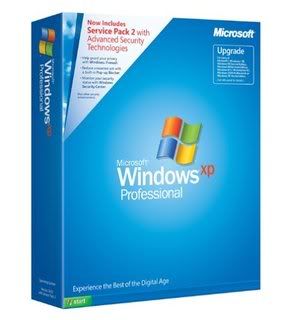
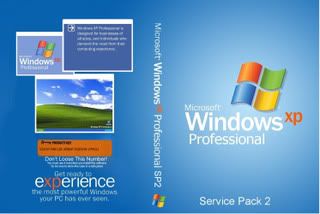
MS Windows XP Professional Service Pack 2 VOL (Bản gốc + CDkey xịn )
Bản Windows này mang những đặc điểm nổi bật sau đây :
- Trong quá trình cài đặt bằng BootCd các bạn điền CDkey xịn vào , và sau khi cài đặt hoàn thành Windows của bạn đã trở thành Win bản quyền 100% , mà không cần phải Crack hay Active gì hết !
- CD Windows này sau quá trình chạy thử ở nhiều máy và máy của mình thì hầu như không có lỗi gì xẩy ra , hay nói cách khác là nó chạy rất ổn định !
- Vì là bản Windows Xp Sp2 bản gốc nguyên thủy đầu tiên nên nó vẫn giữ nguyên Windows Media 9 và Internet Explorer 6 nhưng các bạn đừng quá lo lắng , nếu ai đó muốn Update lên Windows Media 11 hay IE7 thì quá trình này diễn ra rất nhanh lẹ, đơn giản mà không gặp phải bất kỳ 1 trở ngại nào của Sir Bill ( Microsoft) !
- Các bạn nếu muốn thì có thể Update lên thẳng Service Pack 3 bản Final của Microsoft thông qua hệ thống Microsoft Update , mất khoảng 1-2 giờ chờ đợi tùy theo cấu hình máy và tốc độ đường truyền !
- Sau khi kiểm tra tính tương thích với đa số các phần mềm thông dụng thì chưa nhận ra sự xung đột hay lỗi gì với các phần mềm đó !
- Đây là phiên bản CD ISO nguyên gốc từ Microsoft chưa hề chỉnh sửa , thêm hay bớt đi bất kỳ 1 thành phần nào trong đó cả !
**Các bạn lưu ý : **
- **Sau khi tải về **các bạn dùng Winrar giải nén 1 lần trong đó có 1 file ISO , sử dụng bất kỳ phần mềm Ghi ISO nào mà các bạn biết ( Nero , Power ISo, Open Iso , ...) tiến hành ghi ra đĩa CD và sử dụng !
- Trong File mình Up đã bao gồm CDkey zịn rồi !Chúc các bạn thành công !
- Pass Unrar : softvnn.com
** Homepage-Trang Chủ**Size:1 File ISO = 582 MB
D-Link
**
Download - 1 Link ISO**Mediafire_Link
Code:
http://www.mediafire.com/?sharekey=aad241c99a8fd82a4012e8015643d9c879db5ed05e94f9bd
	Code:
Pass Unlock : www.softvnn.com
Key : CC7WF-3VXV8-2K9KR-8K2WK-KRMKY
WRY2X-KXT8M-243WY-KQKC7-73D36
-
Microsoft Windows 7 Build 7600 Final 22 in 1 [Build 01.07.2010]
Microsoft Windows 7 Build 7600 Final 22 in 1
Auto-Active, Auto Reg OEM info and logosWindows 7 is available in six different editions, but only Home Premium, Professional and Ultimate are widely available at retail. The other editions are focused at other markets, such as the developing world or enterprise use. Each edition of Windows 7 includes all of the capabilities and features of the edition below it. All editions support the 32-bit (IA-32) processor architecture and all editions except Starter support the 64-bit (x86-64) processor architecture (64-bit installation media is not included in Home Basic edition, but can be obtained from Microsoft).
According to Microsoft, the features for all editions of Windows 7 are stored on the machine, regardless of what edition is in use. Users who wish to upgrade to an edition of Windows 7 with more features can then use Windows Anytime Upgrade to purchase the upgrade, and unlock the features of those editions. Microsoft announced Windows 7 pricing information for some editions on June 25, 2009, and Windows Anytime Upgrade and Family Pack pricing on July 31, 2009.

EDITION INCLUDES:
- Windows 7 Starter Edition x86 (32bit)
- Windows 7 Home Basic Edition x86 (32bit)
- Windows 7 Home Premium Edition x86 (32bit)
- Windows 7 Professional Edition x86 (32bit)
- Windows 7 Enterprise Edition x86 (32bit)
- Windows 7 Ultimate Edition x86 (32bit)
- Windows 7 Home Basic Edition x64 (64bit)
- Windows 7 Home Premium Edition x64 (64bit)
- Windows 7 Professional Edition x64 (64bit)
- Windows 7 Enterprise Edition x64 (64bit)
- Windows 7 Ultimate Edition x64 (64bit)
- Windows 7 Starter N Edition x86 (32bit)
- Windows 7 Home Basic N Edition x86 (32bit)
- Windows 7 Home Premium N Edition x86 (32bit)
- Windows 7 Professional N Edition x86 (32bit)
- Windows 7 Enterprise N Edition x86 (32bit)
- Windows 7 Ultimate N Edition x86 (32bit)
- Windows 7 Home Basic N Edition x64 (64bit)
- Windows 7 Home Premium N Edition x64 (64bit)
- Windows 7 Professional N Edition x64 (64bit)
- Windows 7 Enterprise N Edition x64 (64bit)
- Windows 7 Ultimate N Edition x64 (64bit)
RELEASE INFORMATION:
-
Release Date: 08/07/2010
-
Supplier: Microsoft (Intergrated by SVNN mod team)
-
Type: Operating System
-
Format: DVD - ISO
-
Number of Discs: 01
-
Size: 4.14 GB
-
Requirements: CPU: 2.0GHz / RAM: 1Gb / HDD: 12gb
-
Activator: 7 Loader 1.86 by Daz
***Windows N Editions are available for both upgrades and new purchases, for the Premium, Professional, Enterprise and Ultimate editions of Windows 7. The features in the N Editions are the same as their equivalent full versions as well as the same price, but do not include Windows Media Player. The cost of the N Editions are the same as the full versions, as Windows Media Player can be downloaded without charge from Microsoft for the N Editions.***NOTE: Auto-Active is available for all editions except Enterprise edition but not 100% computer'll be actived (the Slic 2.1 bios and others...)
BRANDS SUPPORT:
- Acer
- Advent
- Alienware
- Asus
- BenQ
- Casper
- Compaq
- Dell
- Exper
- Founder
- FSC
- Fujitsu
- Gigabyte
- Haier
- Hasee
- HCL
- HP
- Jooyon
- Lenovo
- LG
- Medion
- MSI
- NEC
- Nokia
- Quanmax
- Samsung
- Sony
- Tongfang
- Toshiba
- Trigem
- Viliv
- Wortmann

ISO MD5 check: CA15D12E494711F30E4307D419AA4B19
Code:
** Direct Download click here**.: MIRROR :.

Code:
Click here

Code:
Dead link
Code:
Click here

Code:
Click here

When you see this screen, it's mean loader's in progress...
Just relax and wait untill computer restart.
After that, Windows is activated!Special thanks to "MDLF" and "Daz" for the script and loader.
Chú ý: Đây là bản đã mod lại, Download Bản cài đặt chuẩn của Windows 7 tại đây
DriverPack Solution 10 Final
Hỗ trợ tất cả các HĐH Windows [XP/Vista/Windows7] [32bit/64bit] -
Microsoft Windows 7 SP1 RTM Build 7601.17514.101119-1850 [15/01/2011]
**Windows 7 - (Formerly codenamed Blackcomb and Vienna) is the next release of Microsoft Windows, an operating system produced by Microsoft for use on personal computers, including home and business desktops, laptops, Tablet PCs, and media center PCs.
Microsoft stated in 2007 that it is planning Windows 7 development for a three-year time frame starting after the release of its predecessor, Windows Vista, but that the final release date will be determined by product quality.Unlike its predecessor, Windows 7 is intended to be an incremental upgrade with the goal of being fully compatible with existing device drivers, applications, and hardware. Presentations given by the company in 2008 have focused on multi-touch support, a redesigned Windows Shell with a new taskbar, a home networking system called HomeGroup, and performance improvements. Some applications that have been included with prior releases of Microsoft Windows, most notably Windows Mail (formerly Outlook Express), Windows Movie Maker, and Windows Photo Gallery, are no longer included with the operating system; they are instead offered separately as part of the Windows Live Essentials suite.
Windows 7 - It's the next version of Windows for PCs, and it's the result of working hand-in-hand with our partners and with people who use Windows in the real world every day. We're paying particular attention to the things they're telling us are important to them and will make their PCs work the way they want them to - things like enhanced reliability, responsiveness, and faster boot and shut-down. We're also trying to make their everyday tasks easier, like connecting and syncing devices, browsing the web, and managing a home network.
Of course, we're also working on new capabilities, so people will be able to do things with Windows 7 that were difficult (or perhaps impossible) to do with PCs before. Finally, we're working hard to ensure that Windows 7 will run on any PC and work with any program that works today with Windows Vista, so upgrading from Windows Vista will be easy.
FEATURES:
**- **Windows 7 includes a number of new features, such as advances in touch, speech, and handwriting recognition, support for virtual hard disks, improved performance on multi-core processors, improved boot performance, and kernel improvements.
**
- **According to reports sent to TG Daily, the Milestone 1 build of Windows 7 adds support for systems using multiple heterogeneous graphics cards from different vendors and a new version of Windows Media Center. New features in Milestone 1 also reportedly include Gadgets being integrated into Windows Explorer, a Gadget for Windows Media Center, the ability to visually pin and unpin items from the Start Menu and Taskbar, improved media features, the XPS Essentials Pack being integrated, Windows PowerShell Integrated Scripting Environment (ISE), and a multiline Calculator featuring Programmer and Statistics modes along with unit conversion.
**
- **Reports indicate that a feedback tool included in Milestone 1 lists some coming features: the ability to store Internet Explorer settings on a Windows Live account, updated versions of Paint and WordPad, and a 10-minute install process. In addition, improved network connection tools might be included.
**
- **Many new items have been added to the Control Panel including: Accelerators, ClearType Text Tuner, Display Color Calibration Wizard, Gadgets, Infrared, Recovery, Troubleshooting, Workspaces Center, Location and Other Sensors, Credential Manager, Biometric Devices, System Icons, Windows Solution Center, and Display. Windows Security Center has been renamed the Windows Solution Center (Windows Health Center in earlier builds) which encompass both security and maintenance of the computer.
**
- **The taskbar has seen the biggest visual changes, where the Quick Launch has been merged with the buttons to create an enhanced taskbar or what Microsoft internally refers to as the "Superbar". This enhanced taskbar also enables the Jump Lists feature to allow easy access to common tasks.
**
- **According to released PDC 2008, which was held 27-30 October 2008, session information, Windows 7 discussions will cover "enhancements to the taskbar, Start Menu, thumbnails and their desktop elements", a new networking API with support for building SOAP based web services in native code (as opposed to.NET based WCF web services), new features to shorten application install times, reduced UAC prompts, simplified development of installation packages,[56] and improved globalization support through a new Extended Linguistic Services API. Windows 7 will also contain a new FireWire (IEEE 1394) stack that fully supports IEEE 1394b with S800, S1600 and S3200 data rates.
**
- At WinHEC 2008 Microsoft announced that color depths of 30-bit and 48-bit would be supported in Windows 7 along with the wide color gamut scRGB (which for HDMI 1.3 can be converted and output as xvYCC). The video modes supported in Windows 7 are 16-bit sRGB, 24-bit sRGB, 30-bit sRGB, 30-bit with extended color gamut sRGB, and 48-bit scRGB.
**
BUILDS:
**- **Build 6801
On 8 October 2008, screenshots of Windows 7 build 6801 were leaked. On 28 October 2008, Microsoft distributed build 6801 to attendees at its Professional Developers Conference (PDC). It has since been leaked to bittorrent networks. It features an enhanced taskbar similar to the one in build 6933 although it is disabled by default. An unofficial patch has been released to enable the new taskbar in build 6801.
**
- **Pre-Beta 1
Microsoft also demonstrated build 6933.winmain.081020-1842 during the PDC, but did not give it to attendees. On 14 November 2008, screenshots of Windows 7 build 6936 were leaked by Winfuture. On 20 November 2008, Microsoft posted screenshots of build 6948 on the Engineering Windows 7 blog. In early December, WinFutere.de leaked screenshots of Build 6956, which demonstrated a new bootscreen. (Announced by WinFuture since Build 6954) and several improvements. At the WinHEC in China an attendee from the conference leaked a Virtual Hard Disk (VHD) image of Windows 7 Build 6956, then an ISO image was published, in this same site we can see many new screenshots of this build. Lately, Paul Thurrott posted several screenshots on his website of a newer build.
**
- **Beta 1
Microsoft has confirmed that Beta 1 will be handed out at MSDN Developer Conference on 13th January 2009 in the form of a DVD.
**
- **Release Candidate
The release candidate for Windows 7 will be available after Beta 1.
**
- Final Build
While officially Microsoft has stated that Windows 7 will be released three years after Vista was shipped, the company has indicated that it plans to release Windows 7 in mid-2009, in time for installation on PCs that will ship for the Christmas 2009 buying season.
RELEASE INFORMATION:
- Release Date: 10/22/2009
- Directory Name: Microsoft Windows 7 32Bit & 64Bit
- Supplier: Microsoft
- Type: Operating System
- Format: DVD - ISO
- Number of Discs: 01
- Archives: 1 x 2.43 GB (x86) 1 x 3.00 GB (x64)
- Protection: Key Activation
- Requirements: CPU: 2.0GHz / RAM: 1Gb / HDD: 12gb
** HOMEPAGE - TRANG CHỦ**
WINDOWS 7 Service Pack 1 RTM Build 7601.17514.101119-1850:
** Download Windows 7 Service Pack 1 RTM (32-bit) [Direct Link]**
** Download Windows 7 Service Pack 1 RTM (64-bit) [Direct Link]**** Download Windows 7 Service Pack 1 RTM (32-bit) [Torrent Link]**
** Download Windows 7 Service Pack 1 RTM (64-bit) [Torrent Link]**WINDOWS 7 BUILD 7600:
** Download Windows 7 Starter Edition 32bit [Direct-Link]**
** Download Windows 7 Starter Edition 32bit [Mirror-Link]**** Download Windows 7 Home Basic Edition 32bit [Direct-Link]**
** Download Windows 7 Home Basic Edition 32bit [Mirror-Link]**** Download Windows 7 Home Premium Edition 32bit [Direct-Link]**
** Download Windows 7 Home Premium Edition 32bit [Mirror-Link]**
** Download Windows 7 Home Premium Edition 64bit [Direct-Link]**
** Download Windows 7 Home Premium Edition 64bit [Mirror-Link]**** Download Windows 7 Professional Edition 32bit [Direct-Link]**
** Download Windows 7 Professional Edition 32bit [Mirror-Link]**
** Download Windows 7 Professional Edition 64bit [Direct-Link]**
** Download Windows 7 Professional Edition 64bit [Mirror-Link]**** Download Windows 7 Ultimate Edition 32bit [Direct-Link]**
** Download Windows 7 Ultimate Edition 32bit [Mirror-Link]**
** Download Windows 7 Ultimate Edition 64bit [Direct-Link]**
** Download Windows 7 Ultimate Edition 64bit [Mirror-Link]**** Download Windows 7 Enterprise Edition 32bit [Direct-Link]**
** Download Windows 7 Enterprise Edition 32bit [Mirror-Link]**
** Download Windows 7 Enterprise Edition 64bit [Direct-Link]**
** Download Windows 7 Enterprise Edition 64bit [Mirror-Link]****Pass giải nén (nếu có): **
Code:
softvnn.com hoặc www.softvnn.comHướng dẫn cài Windows 7 từ ổ cứng tại bài POST #2 của topic này!
Code:
http://softvnn.com/forum/showpost.php?p=992453&postcount=2
Microsoft Windows 7 Drivers All-In-One tại bài POST #3 của topic này!
Code:
http://softvnn.com/forum/showpost.php?p=992908&postcount=3
Hướng dẫn Manual Active Windows 7 cho laptop đã Mod BIOS SLIC 2.1 tại bài POST #4 của topic này!
Code:
http://softvnn.com/forum/showpost.php?p=992991&postcount=4
All updated Tools/Patches/Hotfixes for Windows 7 tại bài POST #5 của topic này!
Code:
http://softvnn.com/forum/showpost.php?p=993054&postcount=5